
One shared terminal
Authorized devices share input and output from the same terminal instance. Your directory, process and environment stay with the session.
Explore the shared terminalRemote desktop and shared terminal in one workspace.
Drag files between your own devices and pick up your work
from the screen you have with you.
Windows / macOS / Android iOS coming soon
Resume your session without starting a new shell.
Open the remote desktop whenever you need a graphical app.
Authorized devices share input and output from the same terminal instance. Your directory, process and environment stay with the session.
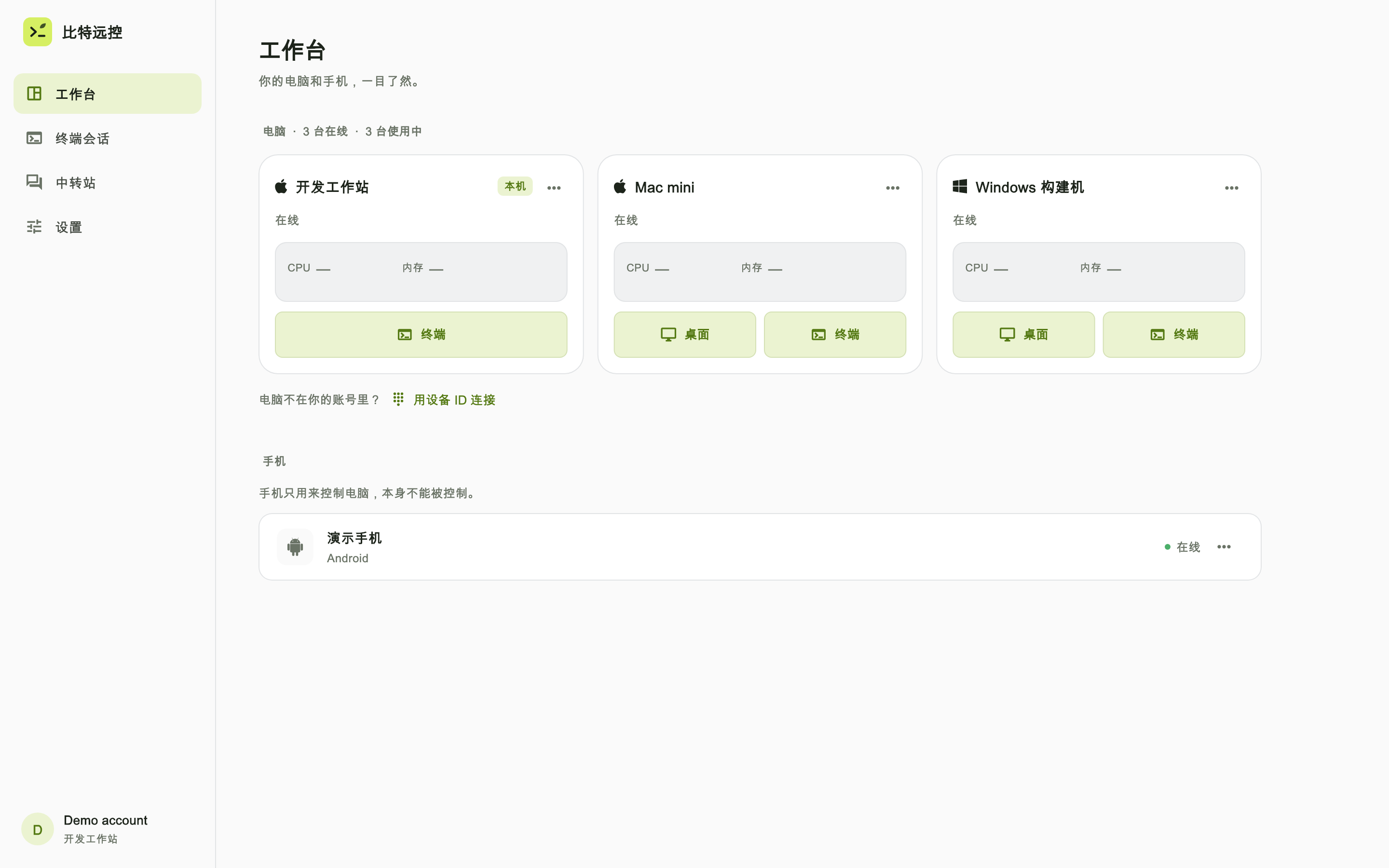
Explore the shared terminalSwitch between your development and build machines. Open a terminal, desktop, files or a web preview from one workspace.
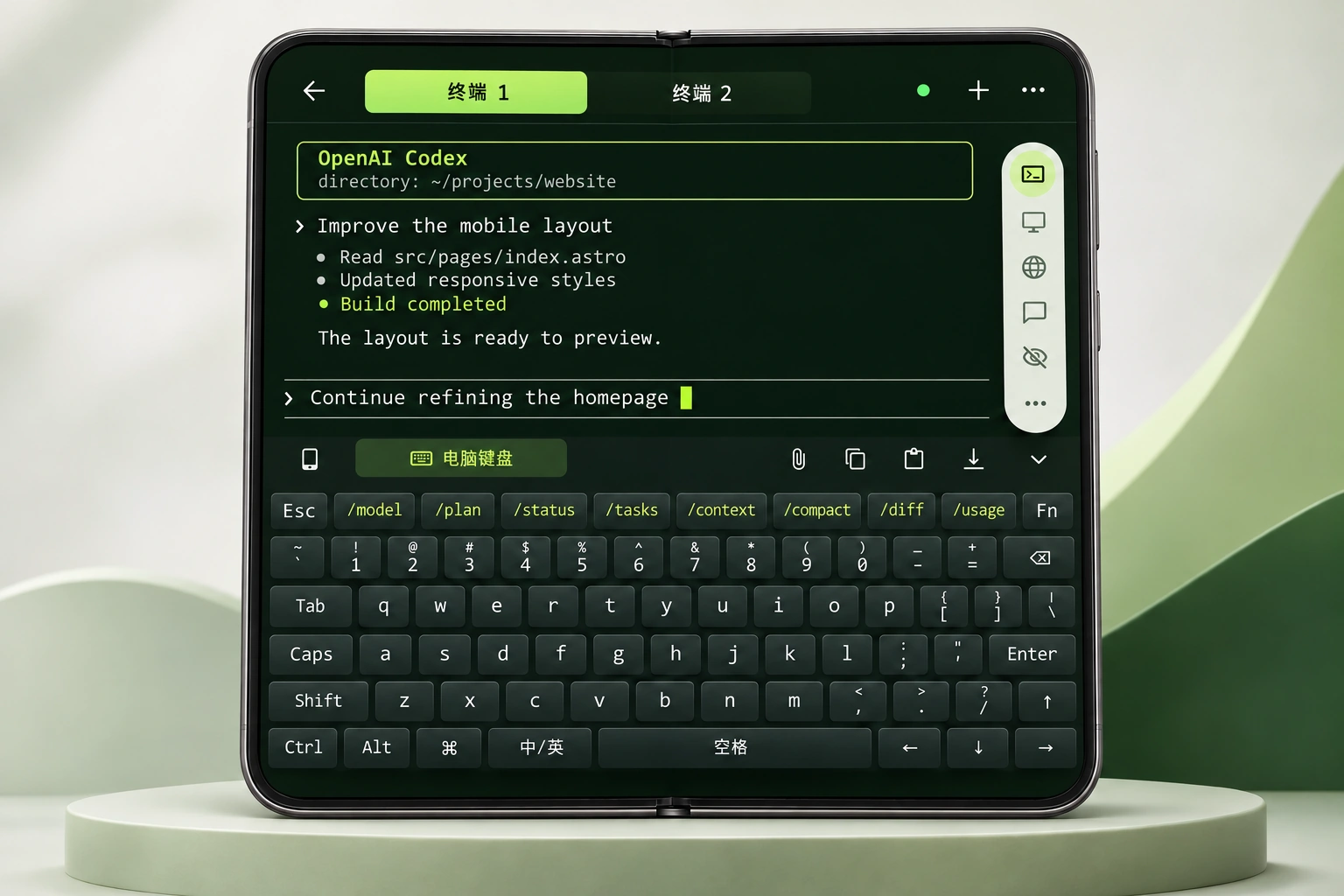
See the multi-machine workspaceA roomier terminal, desktop-style keys and session tabs make a foldable useful for more than a quick check.
Explore the foldable experienceMade for foldable screens
A larger terminal, desktop-style keys and session tabs turn a foldable into a workspace you can actually get things done on.
One place for your everyday tools
Write code on one. Run builds on another.
Find the task you want to resume in one workspace.
One gesture, three destinations
Code, designs, screenshots and documents
move with your work between your own devices.
Upload to the workstation and put the remote path in your current prompt.
See how it worksBring local files into your remote workstation for graphical apps.
See how it worksHand off files between your own authorized devices.
See how it works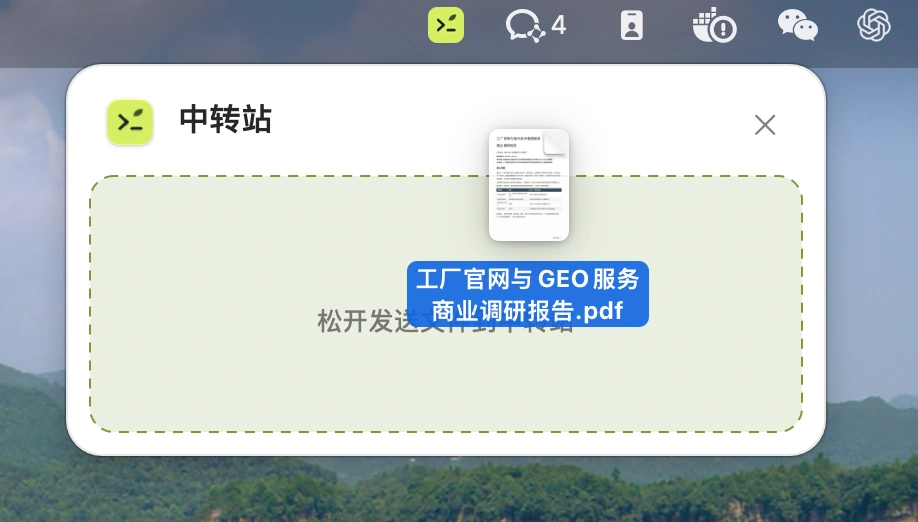
Files move between your authorized devices without a third-party cloud drive. The source computer must be online; connections may use the public internet or a relay.
Small touches for a long workday
A companion that reacts to CPU load, a curtain to cover your workspace, and terminal themes you can make your own.
Discover the details
A terminal, a persistent session, takeover and a shared session are different things. See the distinctions and official sources.
Pick up your AI coding session and move files between your own devices with a drag and drop.